Custom tools & automation
The last few months, with the help of Copilot, I have been experimenting with various tools and scripts to make workflows more efficient by automating the most tedious and repetitive tasks. This is mainly about simplifying asset export for game productions, from Photoshop to Spine, reducing repetitive or error-prone steps and making the process more accurate, optimized and streamlined.
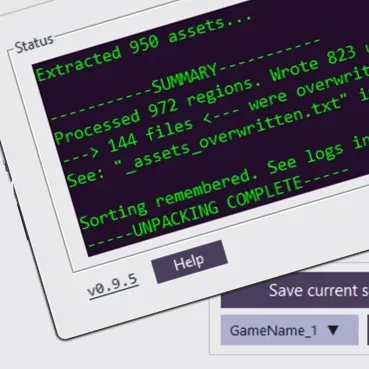
Modified PhotoshopToSpine script.
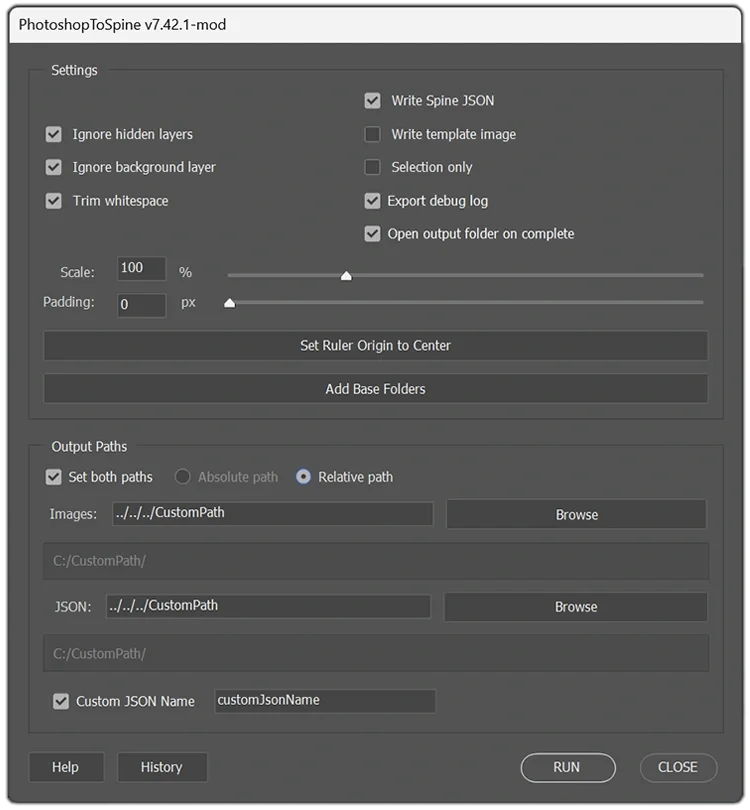
This is a preview of a customized version of the PhotoshopToSpine script, with extra functionality, adjusted for use in a production pipeline.
Key improvements
- Add Base Folders template button.
- Center Ruler Origin by clicking a button.
- Help & Tag Info updated.
- Absolute and Relative path toggle option.
- Path Browsing quick buttons to set export paths.
- Flexible Paths toggle single or both image + JSON
- Custom JSON field to set your own JSON filename.
- History Tracking button for the patch log.
- Debug logging, crash reports and hooks to support batch exporting.
- + more usability enhancements
These tweaks speeds up asset management and export workflows significantly between Photoshop and Spine, increasing efficiency and reusability throughout production.
This version is made for in-house use only and is not publicly available.
PhotoshopToSpine - Batch runner
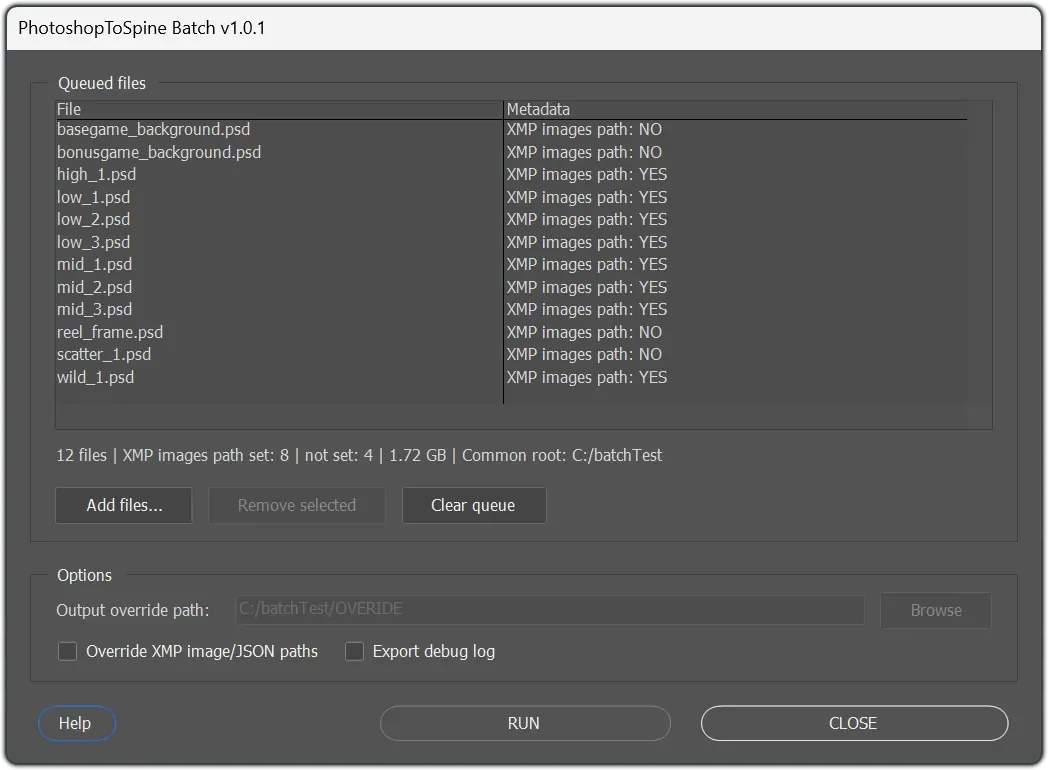
This is a JSX batch runner. It’s a companion to the PhotoshopToSpine script and can be executed if present in the same folder. It goes through all the PSD files added and exports them to predetermined relative path folders.
If a path is not set, it falls back to a default location side by side with the PSD. You can also override these paths and export the assets to a new location.
In essence, with the proper setup, it lets you re-populate the game with a bunch of assets with the press of a button and nothing breaks in Spine.
This is ideal for quicker productions such as reskins of existing games.
Atlas Weaver


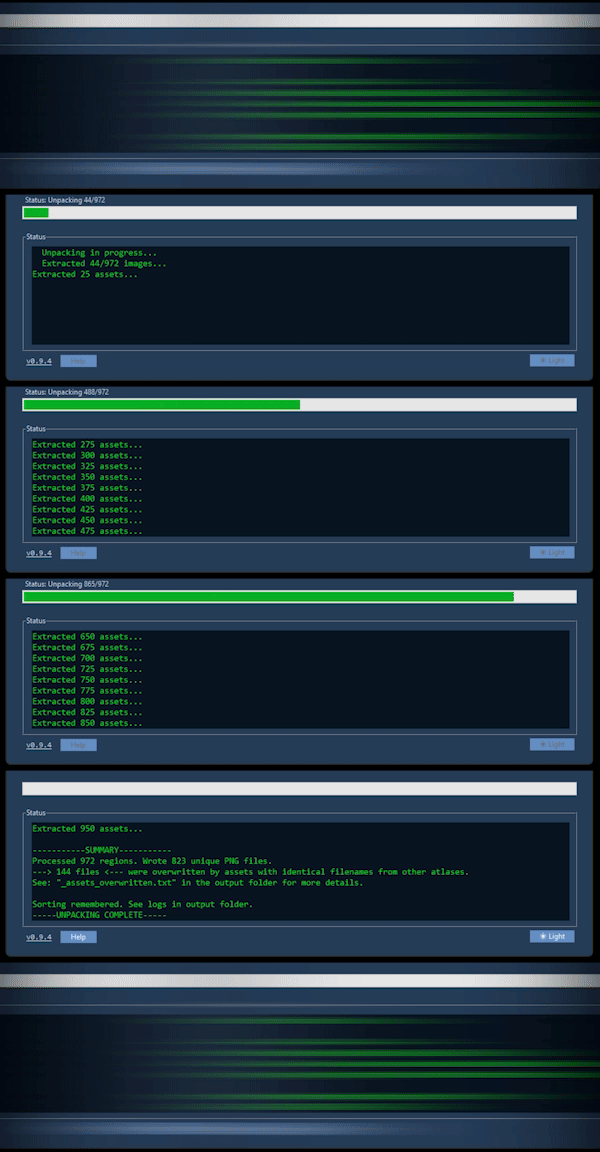
Atlas Weaver is a small Python tool for unpacking Spine atlases and “rewinding” them back into individual assets, then repacking them into larger atlases based on your custom folder sorting.
During the unpack stage it detects and overwrites assets with the same name, so they only appear once in the final packing stage instead of being repeated across multiple atlases. The skeleton path data for these assets remains unchanged in the JSON files.
For packing it can use the Spine CLI if it’s available or fall back to an internal Python packer (slower but works without the CLI). When the multipacking is complete it can also merge the JSON files into a combined one to reduce runtime requests.
Between runs it remembers custom folder categories in a sorting map that can be exported/imported when experimenting or switching projects. It also supports workflows where assets are organized into 1 and 0.5 ratio folders, letting you multipack either set or both depending on your target (for example, mobile-friendly output). This is still a prototype and focuses on PNG atlases for quick iteration, but it also includes optional texture conversion to WEBP or AVIF after packing to reduce file sizes.
Compression Toolkit
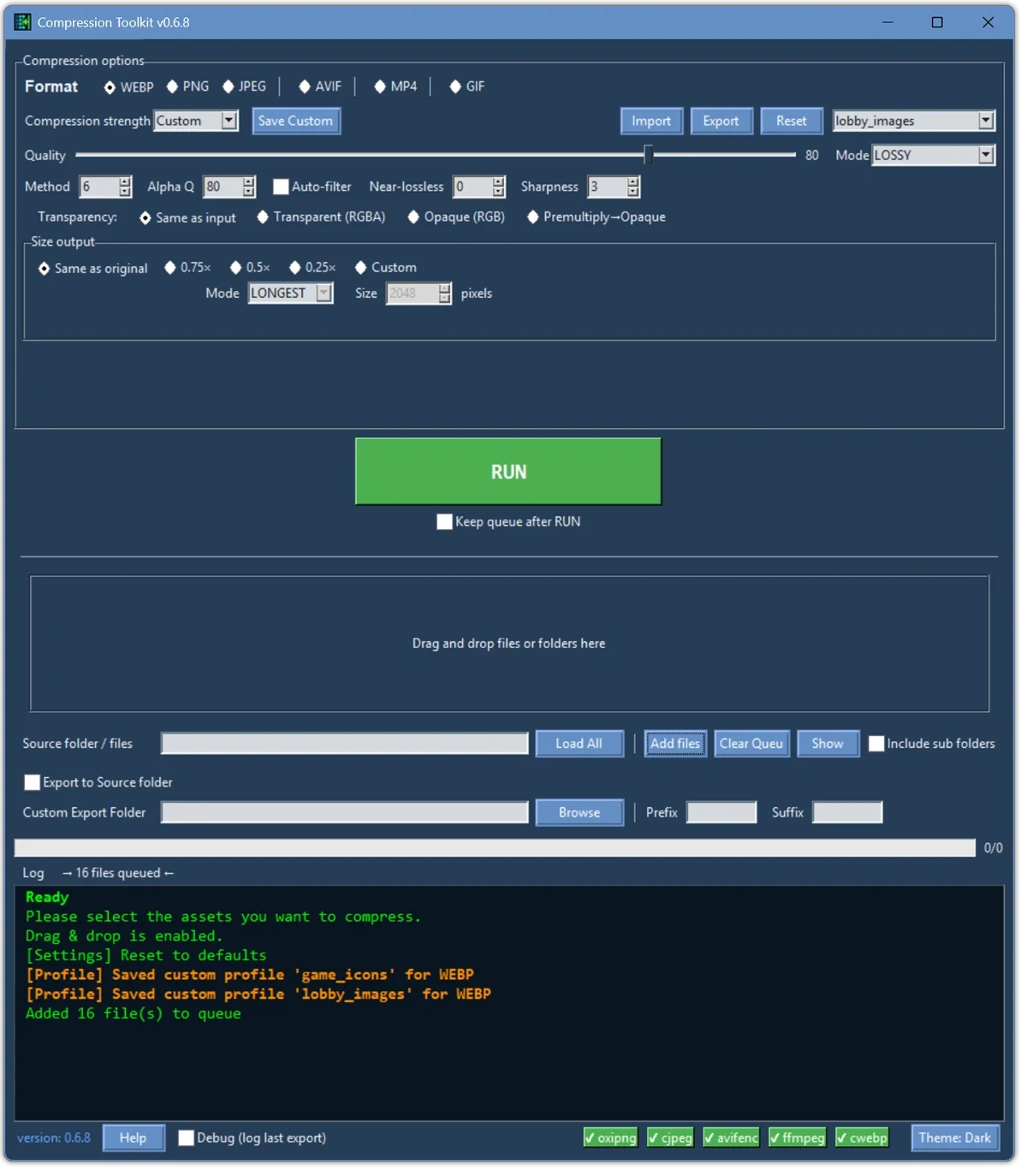
Compression Toolkit is a Python-based multitool for compressing image and video assets. It supports output for: WebP, PNG, JPG, AVIF, MP4 and GIF. You can set compression level, alpha Q, transparency, lossy or lossless and output size.
There are some default presets for different quality levels. You can also create your own settings and store these by exporting and later importing. This is useful for project-specific compression settings.
It supports custom output organization. Default output for instance is set to "same as original" but you can override this with a custom path and add prefix or suffix info to exported filenames.
The tool supports batch compression of multiple assets via dragging and dropping or loading of folder contents (with optional subfolders). You can also manually add the specific assets you want to compress to a queue. When a run completes, the terminal reports how much space was saved.
For the compression technology itself, it uses FFmpeg, OxiPNG, libavif (avifenc), libwebp (cwebp) and Independent JPEG Group tools (cjpeg). These can be located standalone in a relative /tools path if not added to your system PATH. Both methods will work.
This tool is currently a prototype and not publicly available.
Slack: Trello, drive and git automation
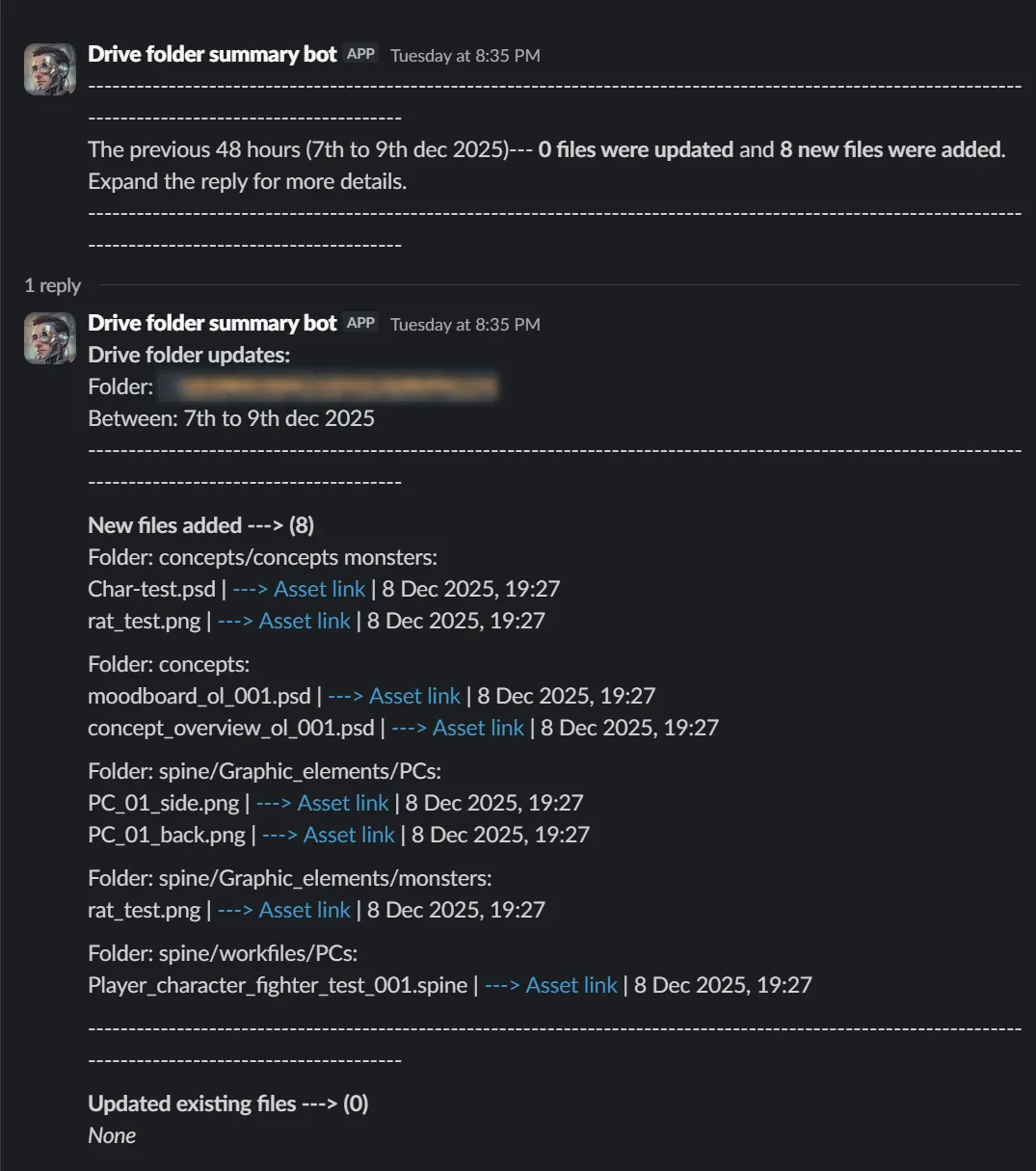
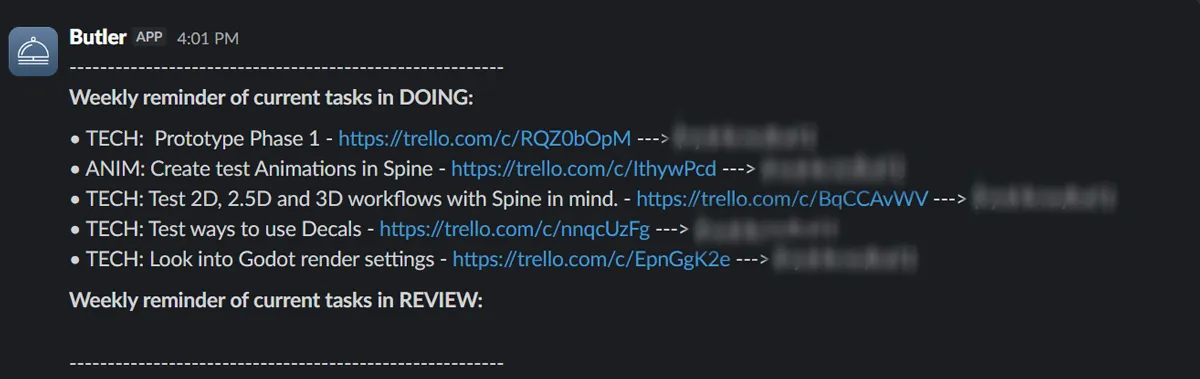
For Slack I have been experimenting with setting up watchers and occasional auto-posts to keep track of project updates and which tasks are currently in the works. Once a week, the current status for DOING and REVIEW tasks on Trello is posted in Slack, with a link to the card and who is working on it.
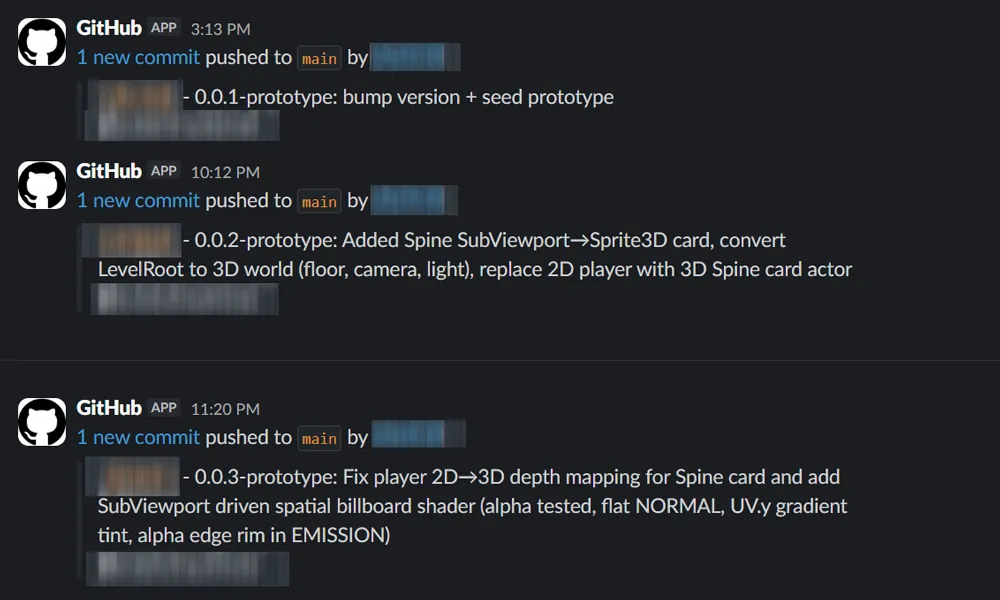
For Git, every push done on main is tracked in a "dev-log-commits" channel for reference.

On top of that, I wired an asset Butler to post scheduled status updates to Slack. Every 48 hours it scans and makes a post if changes are found. It's a folder watcher using Google Apps Script plus a Slack bot token, so uploads and changes in a specific Drive folder (optionally including subfolders) automatically show up in a Slack channel, with names, date changed and a link.